Alerts
This feature allows you to receive automatic notifications by email if important events occur.
Alert types
Three different alert types are available.
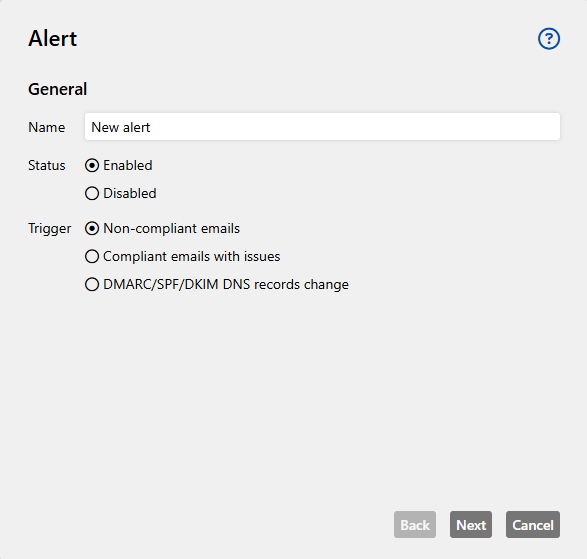
Non-compliant emails
If non-DMARC-compliant emails occur, you should check whether your own sender has been forgotten or whether spammers are trying to abuse your domain.
It makes sense to set up this alert as soon as the basic setup has been completed - i.e. when you have entered all valid senders in the SPF entry, or DKIM has been set up and the DMARC entry has been set to p=reject. Emails that are not DMARC-compliant are then rejected.
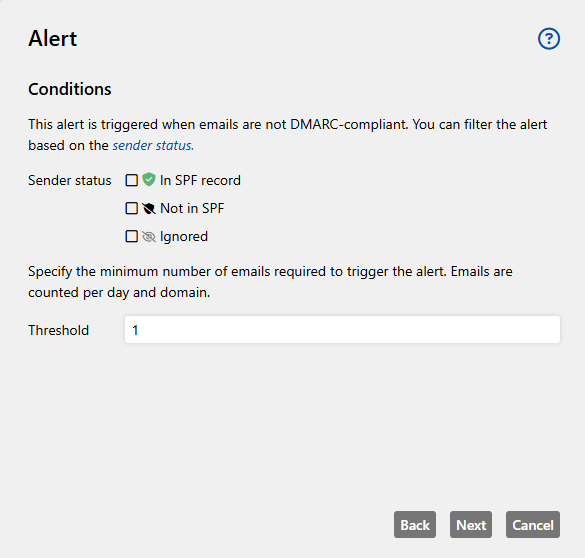
Conditions
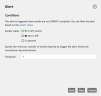
This alarm is triggered when emails are not DMARC-compliant. You can filter the alarm based on the sender status:
-
In SPF record
-
Not in SPF record
-
Ignored
Threshold value
The threshold value is the number of emails required to trigger the alarm. Emails are counted per day and domain.
NOTE: This alert is analysed each time new reports are received, so that an alert can be triggered for a date in the past (usually no more than three days).
Compliant emails with issues
Ideally, emails should pass both the SPF and DKIM checks. However, only one of the two tests is required to pass DMARC, which is why it can be useful to find out about a large number of compliant emails that have failed one of the two tests. This enables the alert for DMARC-compliant emails with problems - i.e. emails that have failed either SPF or DKIM.
If an email has only passed the SPF check, this may indicate an email system in which the DKIM signature is not applied correctly. However, if only the DKIM check was passed, this may be an indication of a forwarding or a new IP address that has not yet been recorded.
By monitoring compliant email traffic for anomalies, an optimal configuration can be ensured.
Conditions
This alert is triggered when emails are compliant but either SPF or DKIM has failed.
Threshold value
The threshold value is the number of emails required to trigger the alarm. Emails are counted per day and domain.
DMARC/SPF/DKIM DNS records change
The alert for changes in the SPF or DMARC record is helpful in every set-up phase, as you are always informed about changes to the DNS records. Especially if you cannot change the DNS entries yourself, you can check whether everything has been set up according to your wishes. In the interface, old and new entries are displayed for comparison and changes are highlighted, and with the help of the domain evaluation you can immediately check whether the new entry is causing problems.
In addition, the alert also monitors includes and shows which changes have taken place there. This is relevant, among other things, when using external service providers such as newsletter providers over which you have no control.
Conditions
This alarm is triggered when SPF, DKIM or DMARC DNS entries are changed.
NOTE: The DNS entries are currently only checked and compared once a night. This means that an alert can only be triggered at this time.
Setting up alerts
-
Go to Configuration > Alerts and click Add.
-
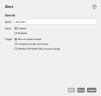
Enter a name for the alerts and configure its status.
-
Select a trigger. See Alert types.
-
Define the conditions under which the alarm is triggered and enter a threshold value. See Alert types.
NOTE: You do not need to specify any conditions or a threshold value for the DMARC/SPF/DKIM DNS records change alert.
-
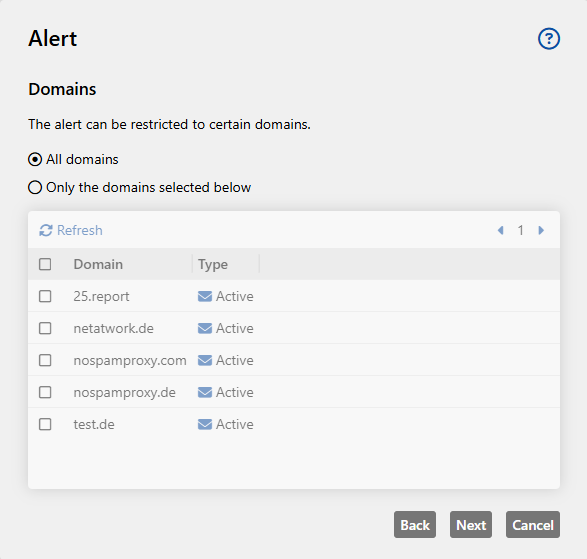
(Optional) Restrict the alert to one or more domains.
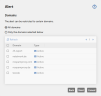
NOTE: If you select All domains, domains that are added at a later date are automatically covered by the alert.
-
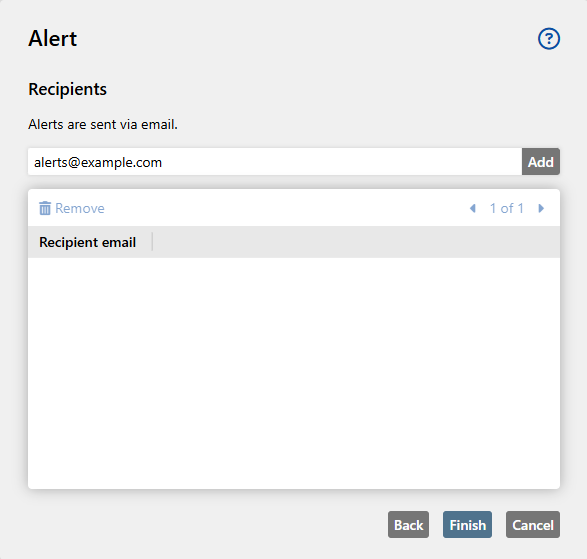
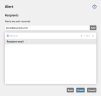
Define one or more recipients.
-
Click Finish.