DMARC compliance in detail
The senders displayed under DMARC reports represent the IP addresses or services that have sent emails on behalf of the monitored domains. All senders and information are based on the data from the DMARC reports received.
Depending on the identifiability of the sending infrastructure, senders are displayed in different ways.
Services and (unknown) IP addresses
Services stand for a group of IP addresses that belong to the same known service. A small cloud  is displayed next to each service:
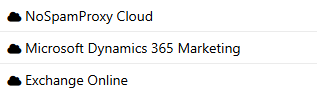
-
All IP addresses of a service are combined into a single service. This grouping takes place because IP addresses of the same service are usually treated identically, for example by integrating the SPF entry of the respective service into the SPF record of the domain.
Although the service is displayed as a single sender in the DMARC report table, the individual IP addresses can still be viewed:
-
All IP addresses assigned to this service are listed on the IP details tab within the details overlay.
-
You can restrict the entire detail overlay to a specific IP address using the Sender IP filter.
This representation simplifies the analysis, but still allows you to analyse individual IP addresses.
NOTE: The grouping of IP addresses is only available for data sets from December 2025.
(Unknown) IP addresses are displayed if an IP address cannot be assigned to a known service.
These IP addresses appear as individual senders in the table.
Additional information about the IP address is available on the IP details tab, including
-
Host name
-
Organisation (if available)
NOTE: If a sender belongs to a service that is not yet recognised, you can report the corresponding service to support@nospamproxy.com. It will then be taken into account in the future.
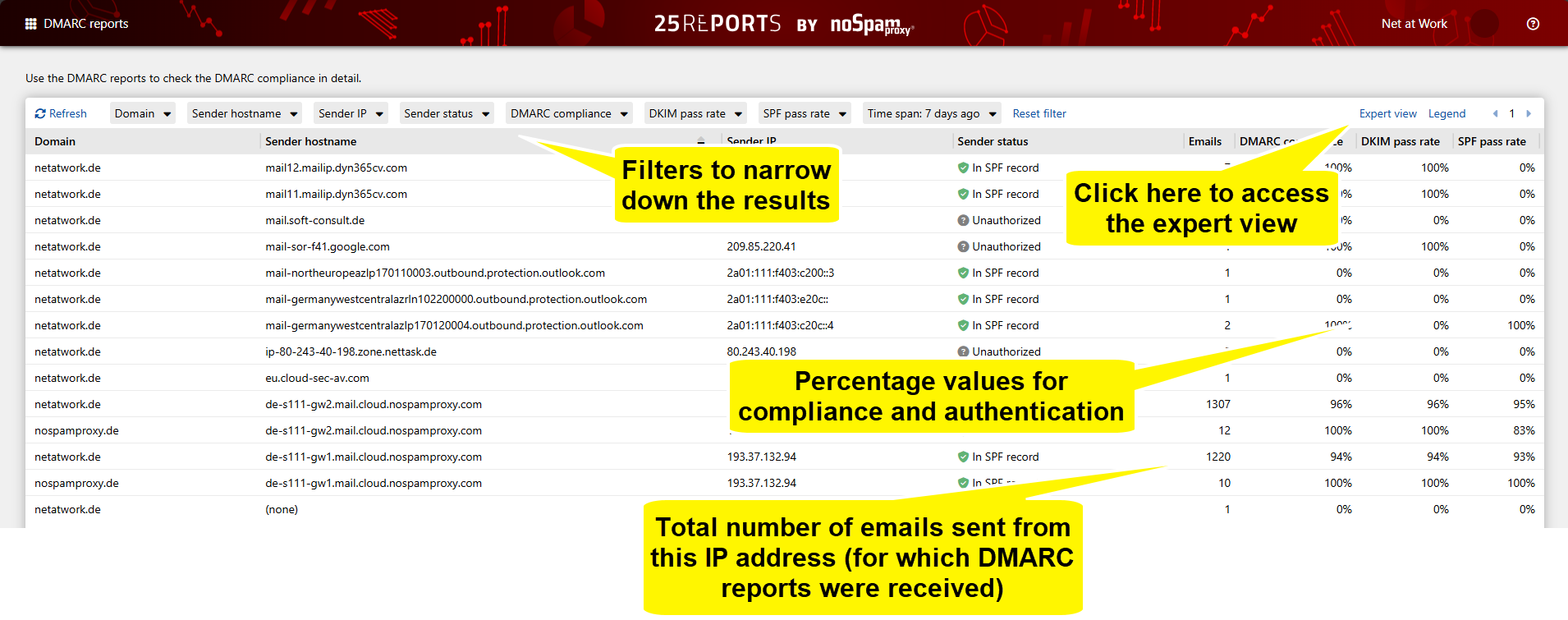
Standard view
The standard view shows an overview of the most important compliance values.
Details overlay
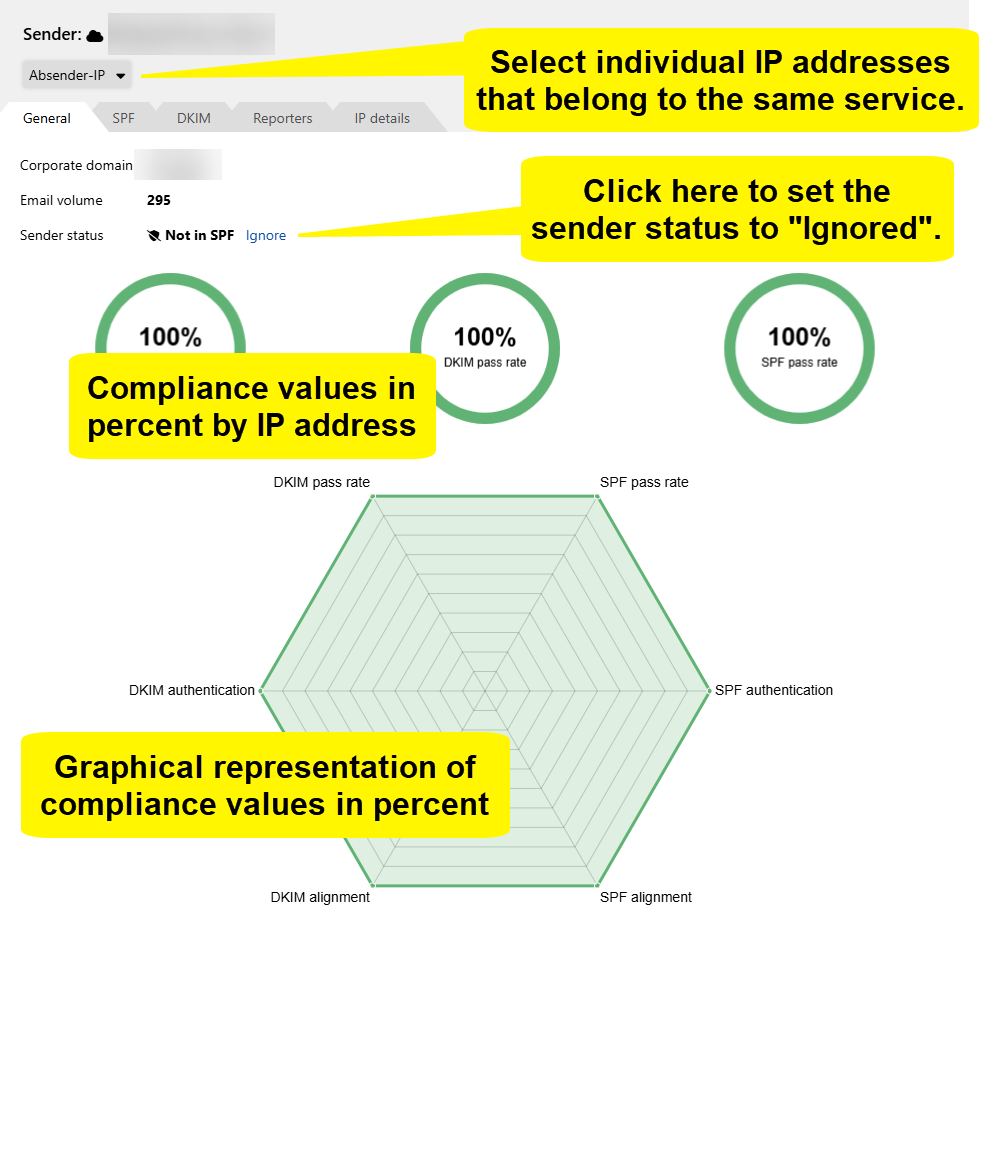
General tab
Here you can find information on whether SPF and DKIM tests have been passed.
See When you should set a sender to "Ignored".
NOTE: You can select individual IP addresses if the sender is a known service.
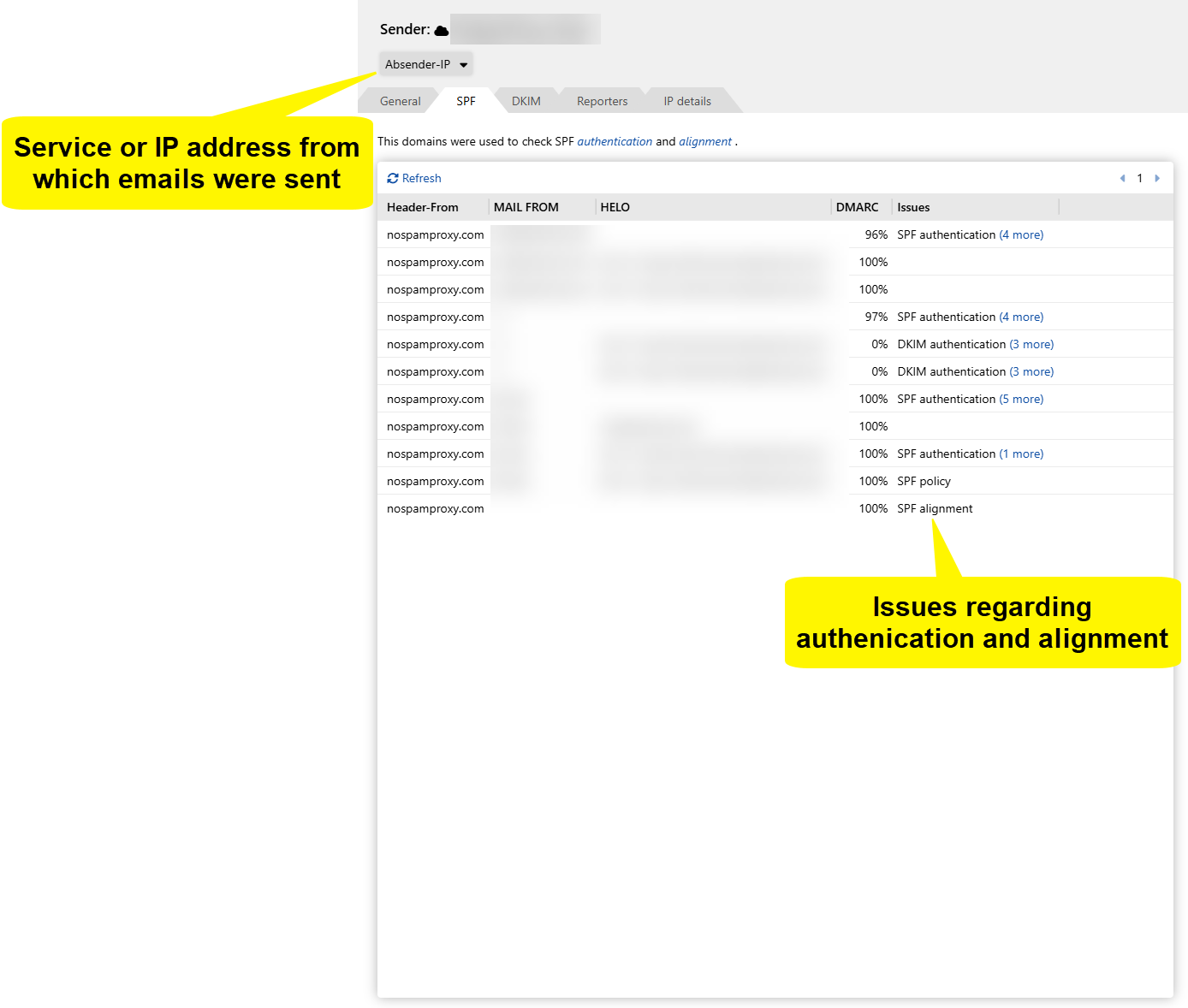
SPF
Here you can see information on the SPF checks for the respective IP address. You will also see the Header-FROM and MAIL-FROM domains; their values are relevant for
-
SPF authentication and
-
the evaluation of the SPF alignment against the header FROM domain.
Use this view to understand why an SPF check was successful or failed and whether the alignment requirements have been met.
DKIM
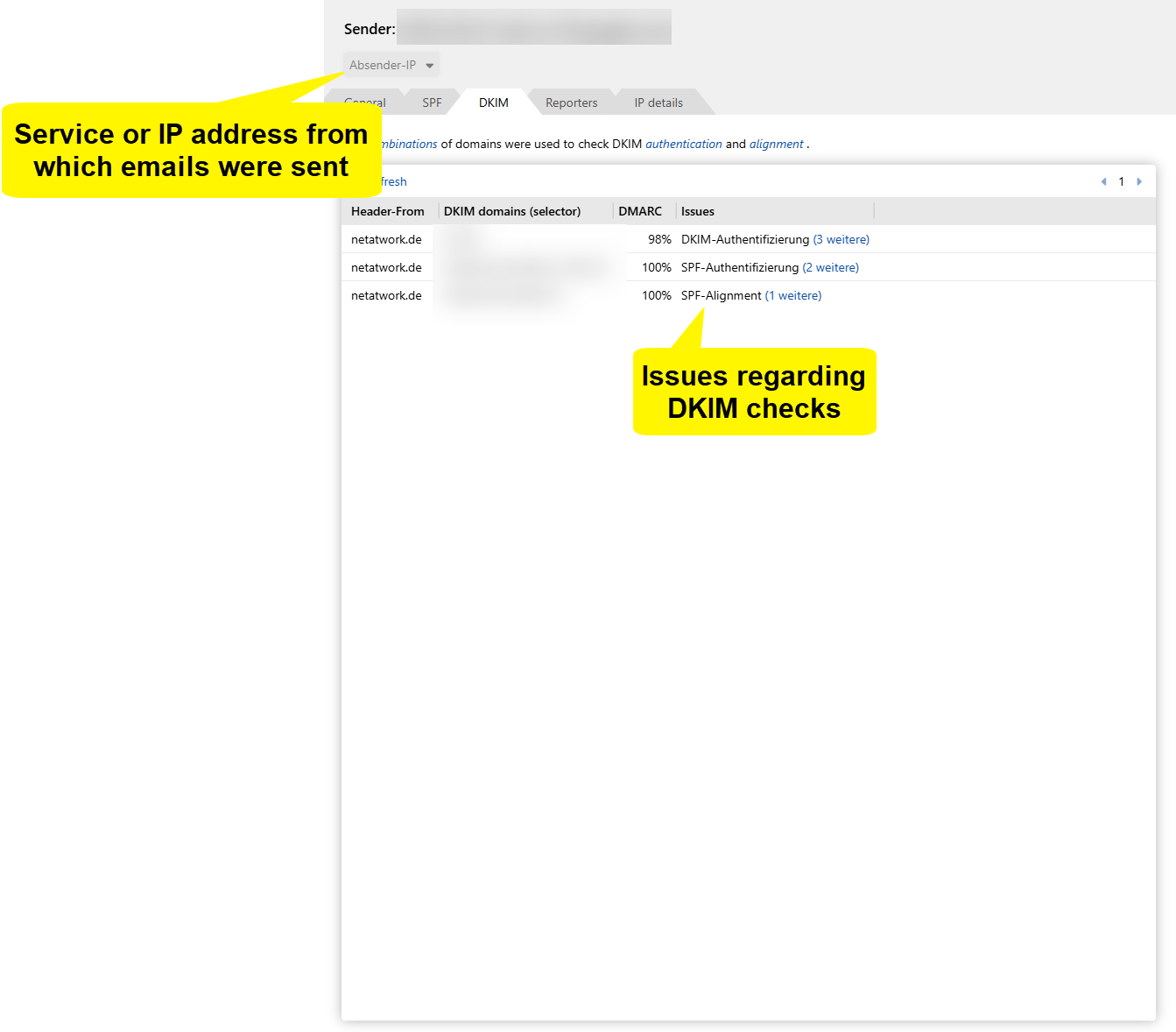
Here you can see information on the DKIM checks for the respective IP address. You will also see
-
the DKIM domains used for the signature and
-
the corresponding DKIM selectors.
Together with the Header-FROM domain, this information is used for the evaluation of DKIM authentication and DKIM alignment.
Reporter tab
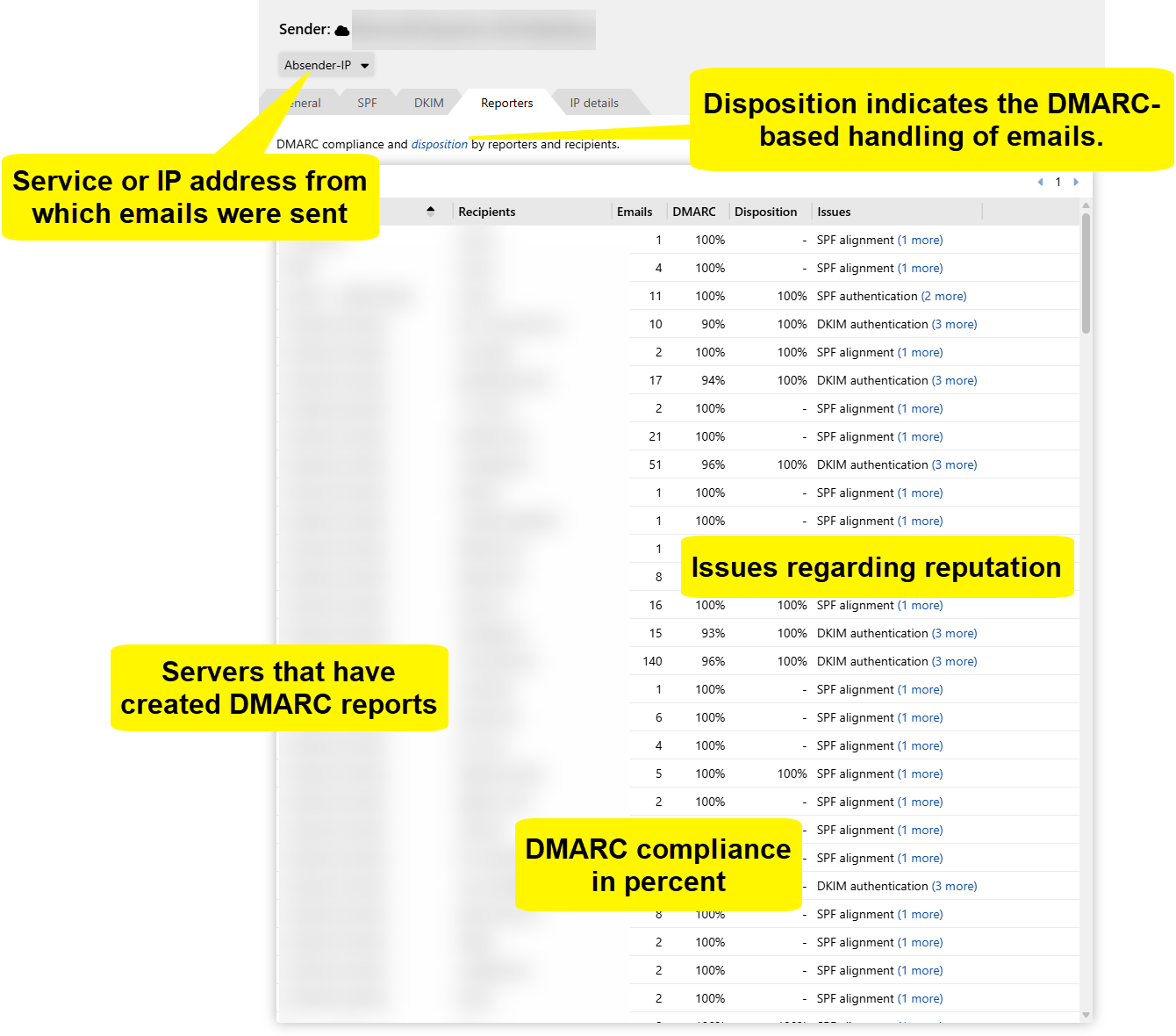
This tab shows the systems that have submitted the DMARC reports, including
-
the reporting organisation and
-
of the report sender.
If available, the recipient of the reports is also displayed.
NOTE: Note that the recipient is an optional field in DMARC reports and is therefore often not provided by reporters.
IP details tab
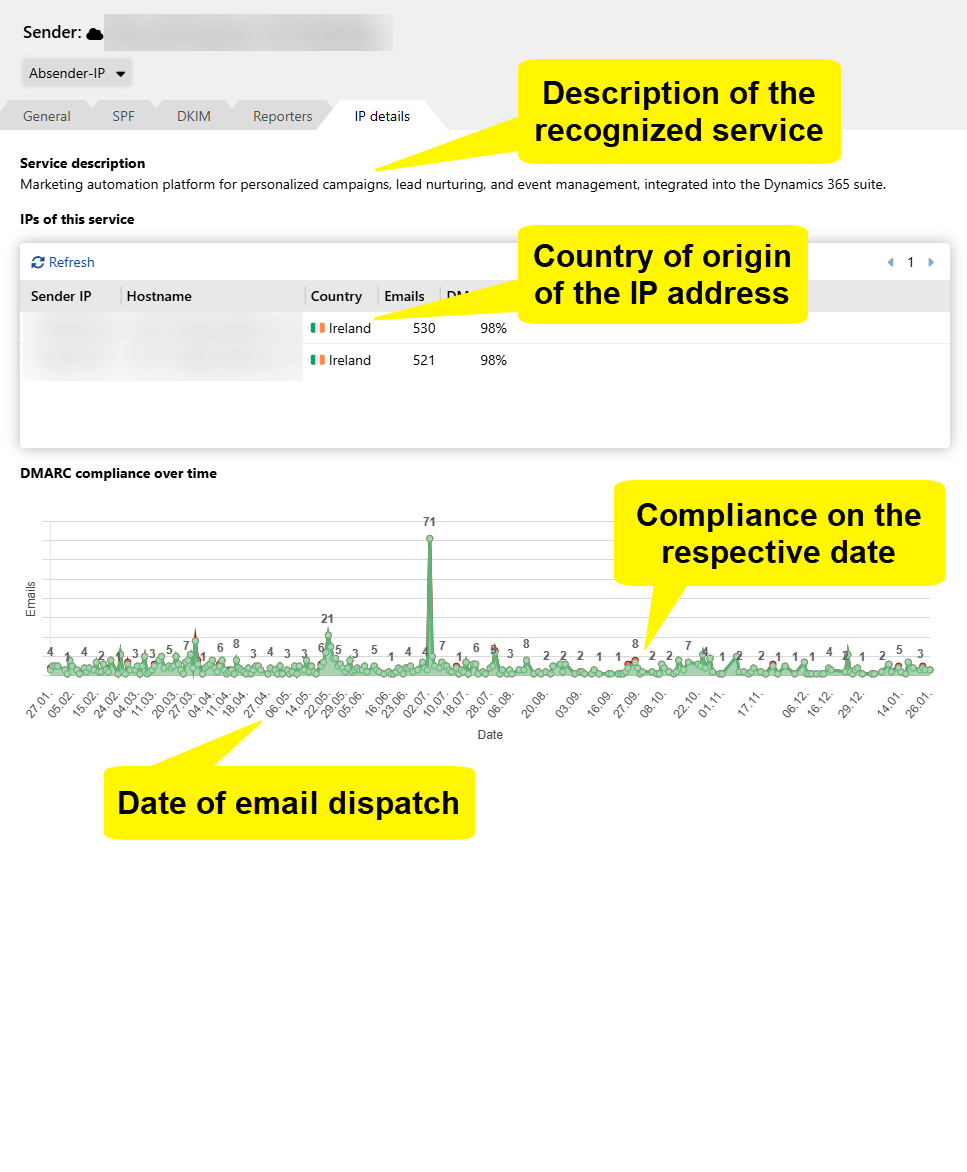
The content of this tab depends on whether a service or an individual IP address has been selected.
Service
-
Description of the recognised service.
-
Listing of all associated IP addresses in a table.
Individual IP address
-
No service information if no known service exists.
-
Display of the organisation determined for the IP address based on data from IPInfo.
In both cases, a diagram is displayed that visualises
-
the dates at which emails were sent and
-
whether the emails were DMARC-compliant.
The diagram corresponds to the DMARC conformity diagram in the overview.
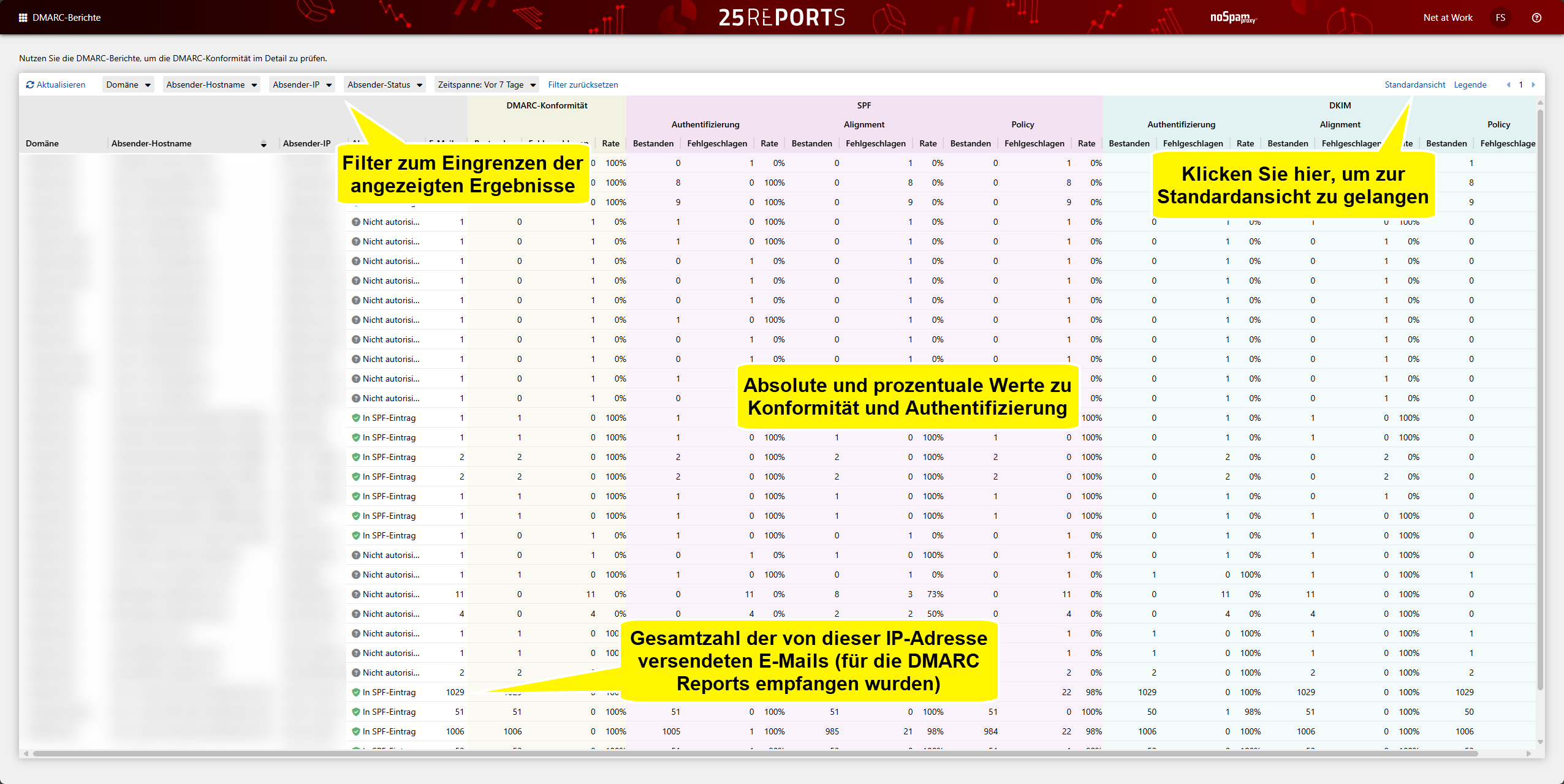
Expert view
The expert view shows details on compliance and authentication results.