Registering domains
Adding domains
Before you can manage your domains in 25Reports, you must register them.
-
Go to Configuration > Domain management.
-
Click Add.
-
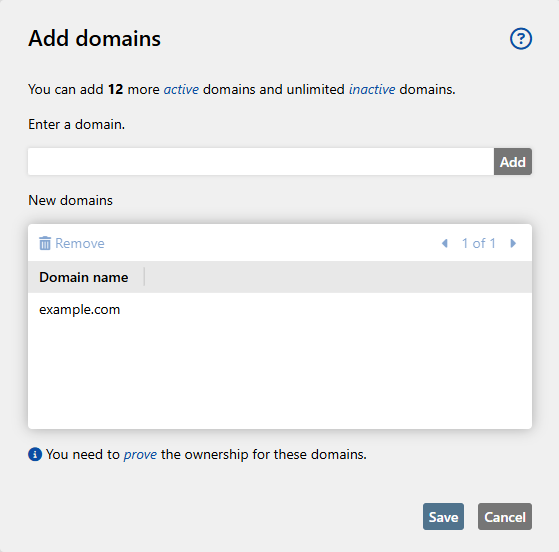
Add one or more domains.

-
Click Save.
Verifying domains
You must verify added domains by creating a DNS TXT record for them. See also Checking the DNS configuration.
-
Go to Configuration > Domain management.
-
Select the domain you want to verify.
-
Click Show DNS configuration.
-
Copy the verification code to the clipboard, which is displayed under Expected value.
NOTE: The Expected value field is only displayed if the domain is not verified.
-
Create a DNS TXT record for the domain with the verification code.
Setting up DMARC reporting
-
Enter the following email address as the value in the rua field of the DMARC entry: mailto:dmarc@25reports.com.
NOTE: To receive DMARC reports for subdomains, you must create a DMARC entry for the respective subdomain and register this subdomain in 25Reports.